
Edit video by deleting words, not waveforms.
Rough-cut an hour of footage in the time it takes to make coffee. Scenaristo transcribes your recording on your own hardware, so nothing you run on your machine is metered, nothing is uploaded, and nothing runs out. Cut by deleting words, and spend your time publishing, not scrubbing.

Made for the way you talk to camera.
Whether it's just you and a lens or a table of guests, the edit is the same: read it back, cut what doesn't earn its place, and ship.
Talking-head & YouTube
Turn a rambling first take into a tight video without ever learning a timeline. Strike the tangents, drop the fillers, and publish the same afternoon, captions already in hand.
Solo creatorsVideo podcasts
Edit a long conversation by reading it. Automatic speaker labels keep you oriented, deleting a dead patch closes the picture and audio together, then master the loudness and ship chapters from the same window.
Interviews & panelsShorts & Reels
Mark the moment in the transcript and export an upload-ready 9:16 clip: captions burned in, face auto-framed, loudness to spec. One master, clip after clip.
Vertical clipsDelete a sentence. Delete the footage.
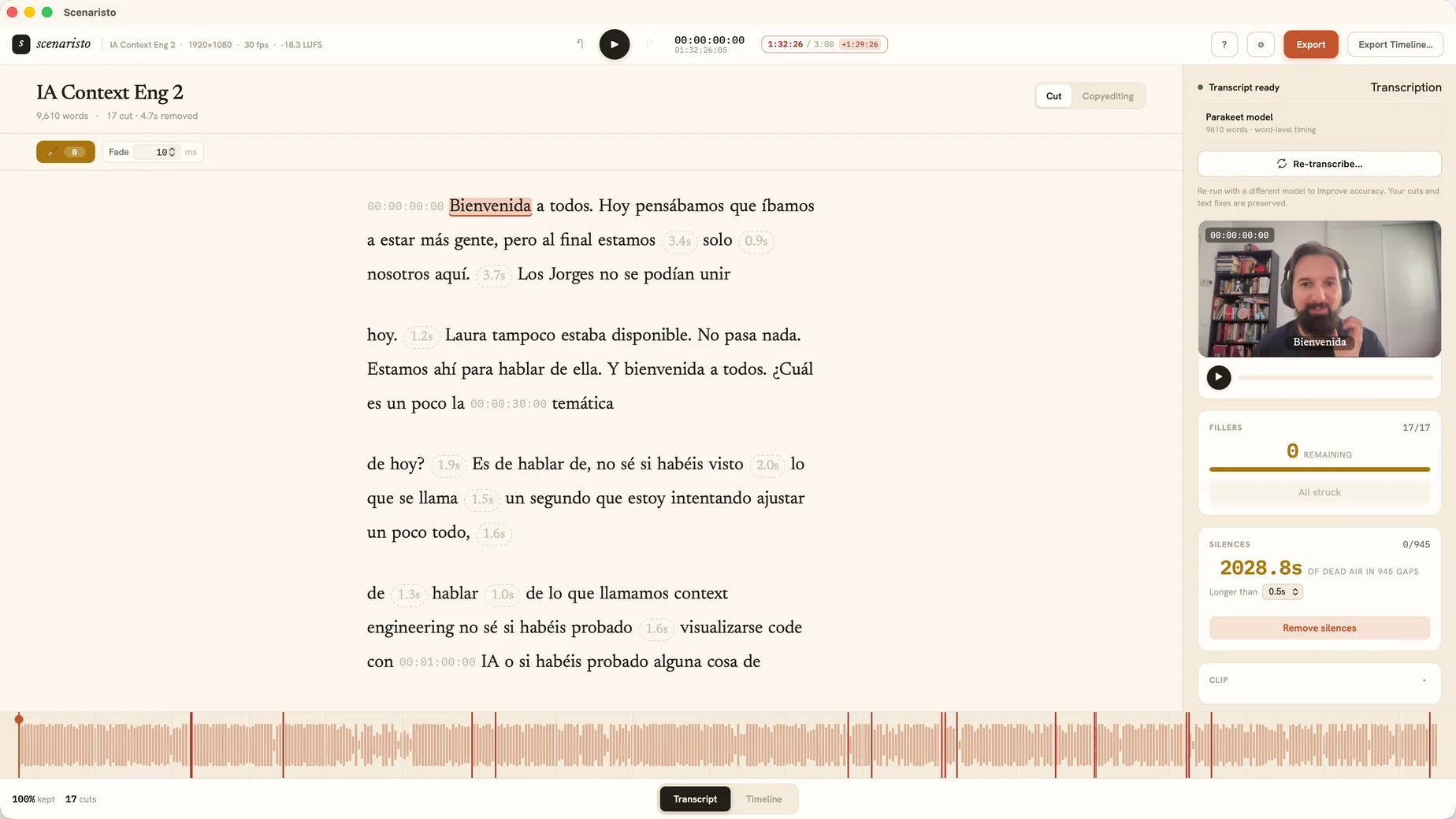
Select a stray tangent, a flubbed take, or a long "uhh", and press delete. The words grey out, the clip closes up, and playback skips the cut, frame-accurate, on word boundaries.
- Strikethrough is a soft delete. Struck text stays visible but greyed; playback and export skip it. One click brings it back, losslessly.
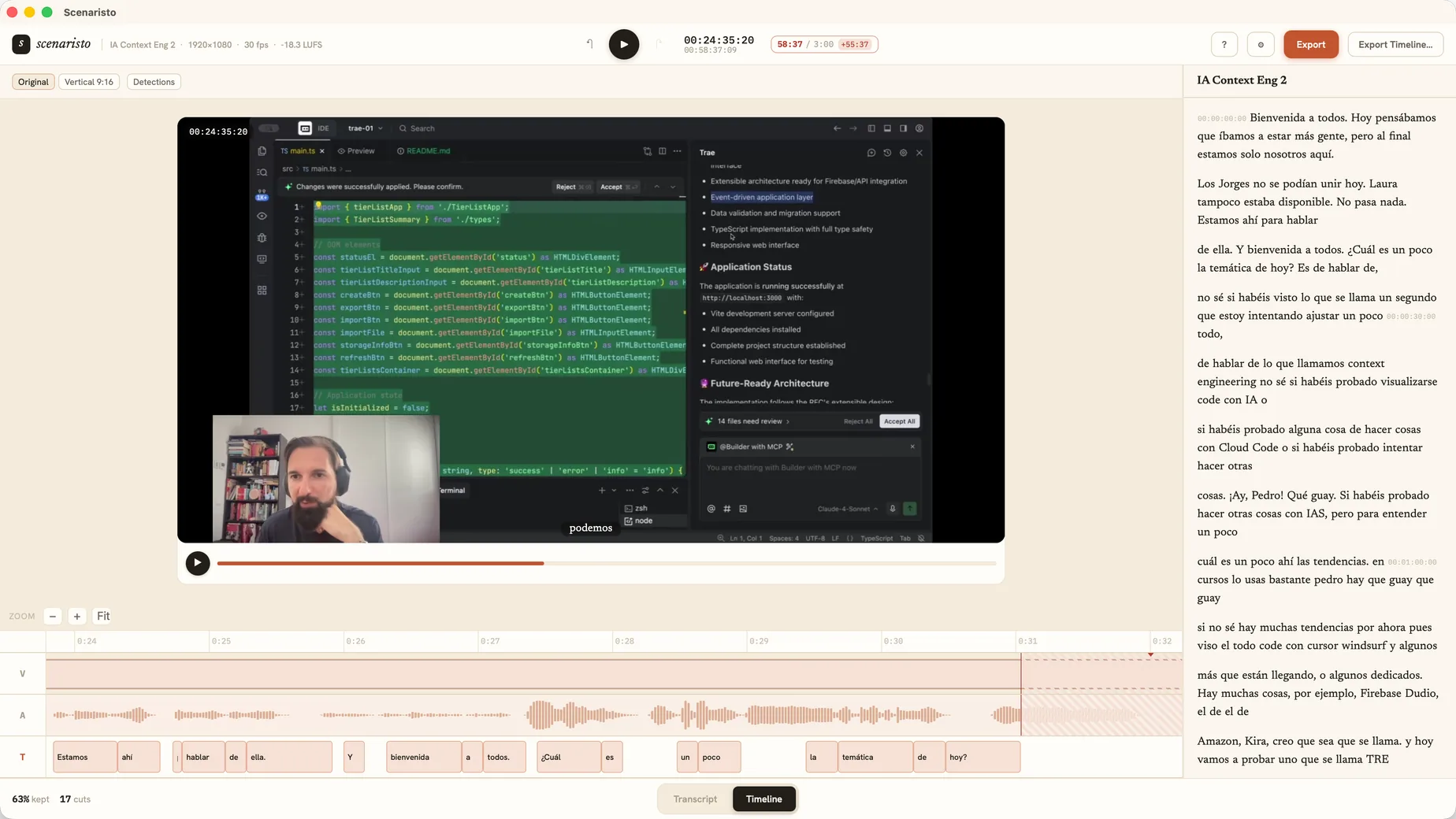
- A real timeline is always one tap away. When a cut lands mid-breath, trim it by the frame, and the transcript stays perfectly in sync.
- Edits never touch your media. Every cut is a decision over the original file: undo across text and timeline as a single history.
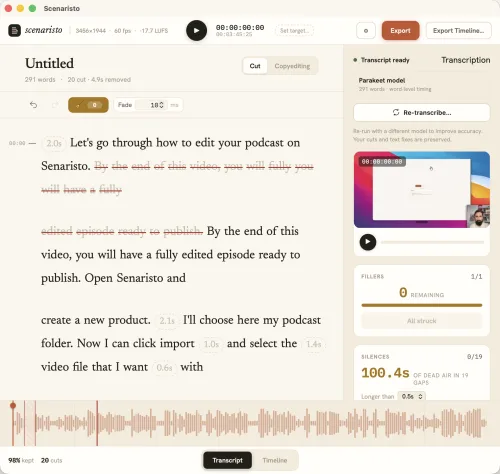 Strikethrough · 20 cuts · 4.9s removed
Runs on your machine. Works without us.
Transcription runs entirely on your own hardware: on-device speech models you download once and keep. There's no cloud step, no render queue, and no service that can go down mid-edit. After that one-time download, pull the ethernet cable and everything still works.
Nothing is metered
Transcribe, edit, and export as much as you want on your own machine. No media minutes, no credits, no monthly hours. Your hardware is the only limit.
Works offline
No internet required to import, transcribe, edit, or export. Your footage stays on disk, never uploaded, and the whole workflow runs with the network off.
No account required
Download and open. There's nothing to sign up for and no profile of your work. The one thing the app sends us is a crash report, so the bug gets fixed.
Built for spoken-word video.
The fiddly parts of editing a podcast or a talking-head video, handled where the words already are.
Captions, for free
Your corrected, post-cut transcript exports straight to SRT and VTT. The subtitles match the final edit, word for word.
SRT · VTTFiller words, gone
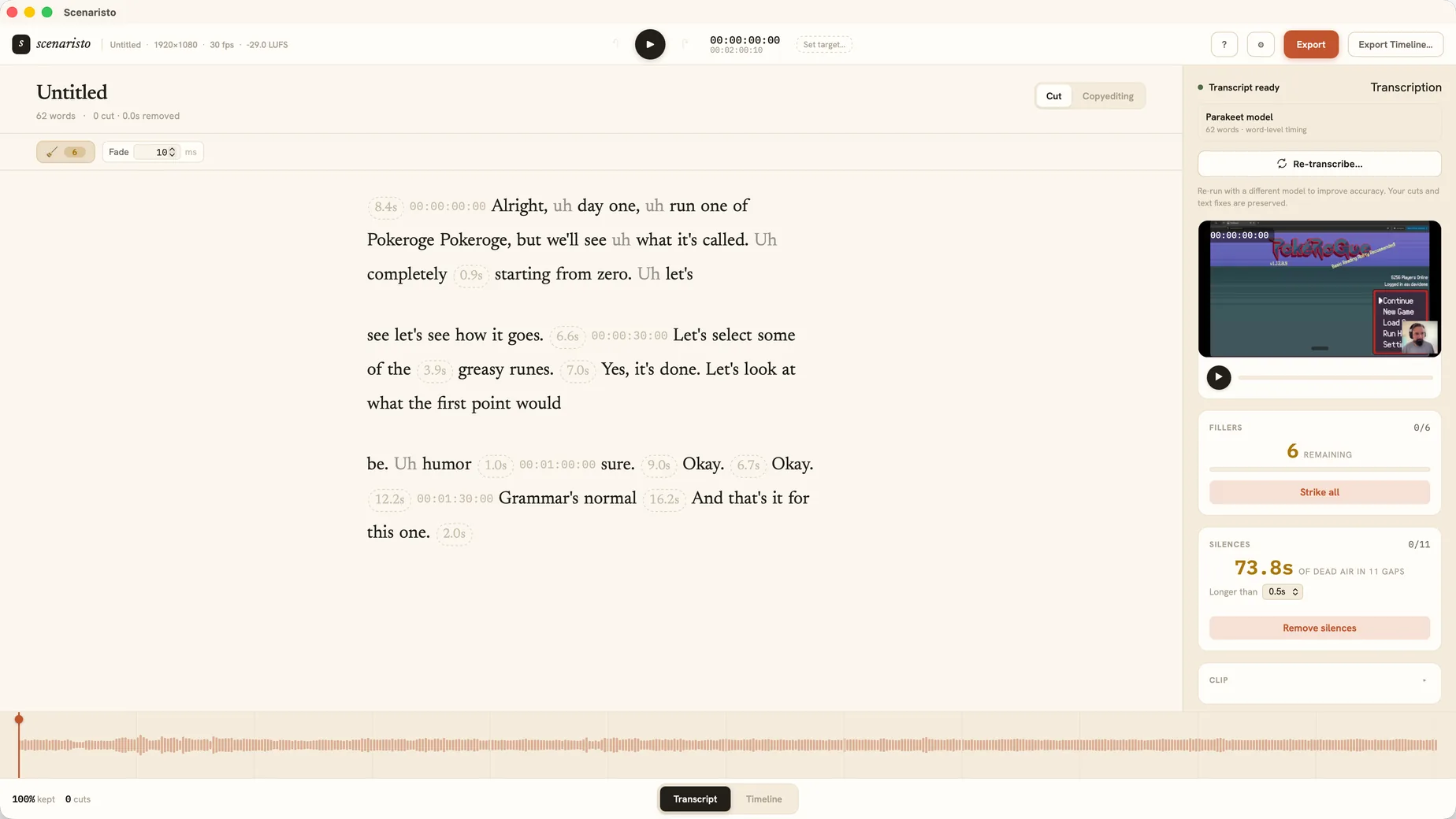
Every "um", "uh", "like", and "you know" gets flagged. Review them or strike the whole lot in a single click.
One-click cleanupKeep the best take
Say the line four times and a scan finds every attempt. Audition the takes side by side, pick the keeper, and the rest are struck in one go. Nothing is cut until you accept.
Take detectionMulti-speaker labels
Interviews and panels get split into labelled speaker turns that actually tell the voices apart. Rename a speaker right in the transcript, or tell it how many voices to expect and re-run just that pass.
On-device diarizationSilence, tightened
Dead air is detected alongside filler words. Strike every over-long pause in one click, or review the gaps one by one.
Remove silencesA finished edit is a finished episode.
The mechanical delivery steps that usually mean opening three more apps happen right here, from the edit you already made, so you upload instead of re-exporting.
- Loudness to spec. Master to −16 or −14 LUFS with a safe true-peak ceiling. Your host won't bounce it.
- Chapters, entered once. A YouTube list to paste, plus ID3 chapters podcast apps read natively.
- Hand off to your NLE. Export an FCPXML timeline to finish in Final Cut, Premiere, or Resolve.
- Or ship a Short. Mark a clip, export vertical 9:16 with burned-in captions. See the Shorts workflow.
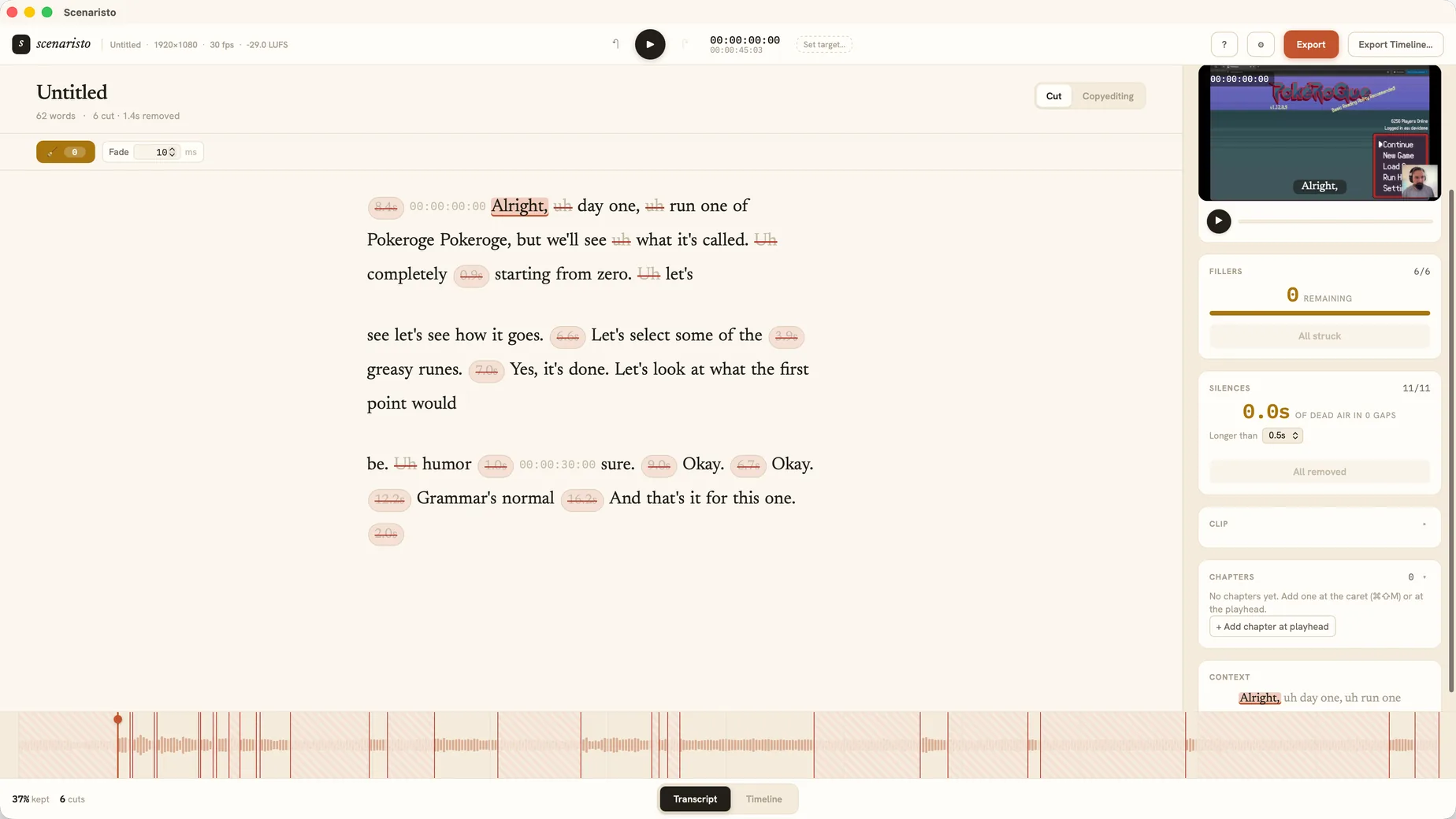 Fillers struck · silences removed · chapters
From raw recording to finished cut, in four moves.
Drop it in
Drag any MP4, MOV, MKV, WebM, MP3, WAV, AAC or M4A onto the window. It lands on the timeline instantly.
It transcribes
The on-device model writes out a word-level transcript while you start working. Transcription streams in, so you can start cutting before it finishes.
Cut by reading
Delete the lines that don't earn their place. Tighten on the timeline if you like.
Export
Pick a Deliverable Mode (Podcast, Long-form, or Short-form) and render MP4 or mastered audio with matching captions and chapters, a vertical Short, or an FCPXML timeline for your NLE.
Stop scrubbing the timeline.
Start reading your edit.
macOS (Apple silicon) · Windows 10 · on-device models, downloaded on demand