
The same idea. Your machine instead of a meter.
Both editors share the premise of text-based video editing: cut the recording by editing its words. Descript is a broad cloud studio, metered in media minutes and AI credits. Scenaristo is a native desktop app, and nothing you run locally is metered. Every Descript fact on this page links to Descript's own pages.
| How it compares | SScenaristoOn-device desktop | DDescriptCloud studio |
|---|---|---|
| Usage meter | None. Nothing you run locally is metered; your hardware is the only limit. | Media minutes, 1 to 40 hours a month by plan, plus AI credits.descript.com/pricing |
| Edit with the network off | Yes. Import, transcribe, edit, and export offline. | No. Projects live in Descript's cloud file storage.descript.canny.io |
| Where your footage goes | Stays on your disk. Nothing uploads. | "We've since moved to full cloud-based file storage." Descript, December 12, 2025.descript.canny.io |
| Account required | No account, no sign-in. | Sign-up starts every plan, including Free.descript.com/pricing |
| Transcription engines | Named and versioned: Parakeet TDT, Canary, Cohere Transcribe, Whisper Large v3 and v3 Turbo. Switch models and re-run free. scenaristo.com/models | Not named on the pricing or transcription pages.descript.com/transcription |
| Export resolution | Source resolution on every export. | 720p local export on Free and Hobbyist; 4K on Creator and Business.descript.com/pricing |
| Timeline handoff to your NLE | FCPXML with every export: cuts, crossfades, and chapter markers intact. scenaristo.com/features | "Timeline export is available on Creator, Business, and Enterprise plans."help.descript.com |
| Records remote guests | No. Scenaristo edits what you recorded elsewhere. | Yes: Rooms remote recording, 2 to 25 hours a month by plan.descript.com/pricing |
| Breadth | Deliberately narrow: a transcript editor with a real timeline. | A broad studio: recording, collaboration, AI tools, publishing.descript.com |
Every Descript cell links to the page it was checked against, verified on August 4, 2026. Plans and boundaries change often, so the linked page is the current truth; we re-check quarterly. The last two rows are ones Scenaristo loses on purpose. Descript is a trademark of its owner. The three-way comparison, including Riverside and the clip tools, is at scenaristo.com/compare.
What a weekly podcast draws from the pool.
Descript's help center is precise about when the meter runs: media minutes are used when you upload or record media, per media file. So the draw scales with raw runtime times file count, not with what you publish. Assume a weekly one-hour show and do the arithmetic.
| How you record | Draw per episode | A month, 4 to 5 episodes | Against Descript's pools |
|---|---|---|---|
| One file, 60 minutes | 60 media minutes | About 260 | Fits Hobbyist's 600 a month. |
| Two cameras plus an audio track, 60 minutes | 180 media minutes | About 780 | Past Hobbyist's 600 before the month ends; needs Creator's 1,800. |
| Three cameras plus two mic stems, 60 minutes | 300 media minutes | About 1,300 | Most of Creator's 1,800. |
| The same five files, 90 minutes of raw tape | 450 media minutes | About 1,950 | Past Creator's 1,800; needs Business's 2,400. |
Assumptions stated: one session a week, 4.33 weeks a month, every file uploaded at raw length. Pool sizes are Descript's published allowances (Hobbyist 600, Creator 1,800, Business 2,400 media minutes a month), and re-transcribing an already-uploaded file does not draw from the pool; both verified on August 4, 2026 at descript.com/pricing and help.descript.com. In Scenaristo the same session draws nothing, because there is no pool: transcription, editing, and export run on your hardware.
Descript answered the offline question. So did we.
Users asked Descript for an option to keep original files off the cloud. The request was closed on December 12, 2025: "We've since moved to full cloud-based file storage so this is not something that will be considered any time soon."
Scenaristo's answer is the architecture. Transcription, editing, and rendering run on your machine, so the whole workflow works with the network off, and your footage stays on disk from import to export.
No upload before the first cut.
A cloud editor starts with an upload and ends with a render on someone else's queue. Scenaristo starts when the file lands on the timeline: transcription streams in on your hardware, so a long recording is editable from the first transcribed minute.
When the edit is done, the render runs on your machine too, at source resolution, with captions and chapters from the same project. And if you finish in an NLE, the FCPXML handoff ships with every export, not with a plan.
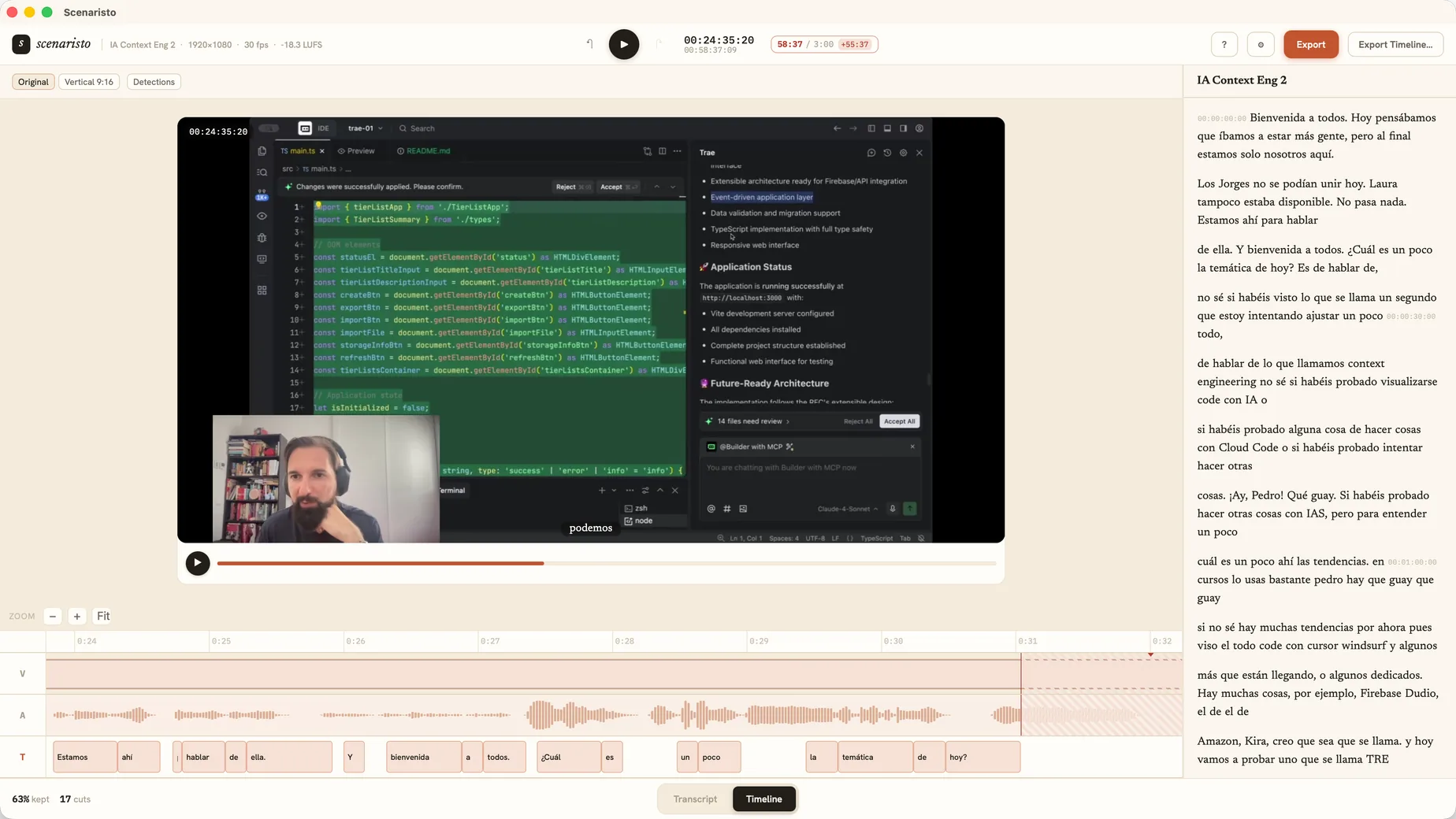 Timeline view · synced with the transcript
What Descript does that Scenaristo does not.
Descript records remote guests, records your screen, hosts team collaboration, and publishes straight to the platforms. If your workflow needs those, Descript earns its place. If your workflow is record, cut, ship, then the editor is the whole job, and that is what Scenaristo is for: the fast rough cut and the clean handoff, on your own machine.
Drop in your last episode.
Nothing is counting.
macOS · Windows · no account, no upload