
Cut it, master it, ship it.
Edit your episode by reading the transcript, then deliver it without opening a second app. Speaker labels, loudness to spec, chapters, and captions all come out of the same project. On your machine, in one pass.
One episode. Four apps.
You finish the creative edit in one tool, then bounce between others for the mechanical delivery steps: split the speakers, normalize the loudness so the host doesn't reject it, type up chapters, and render captions. Every week, forever.
Scenaristo folds all four back into the edit. The transcript you cut is the same transcript that names your speakers, marks your chapters, and becomes your captions, so a finished edit is a finished episode.
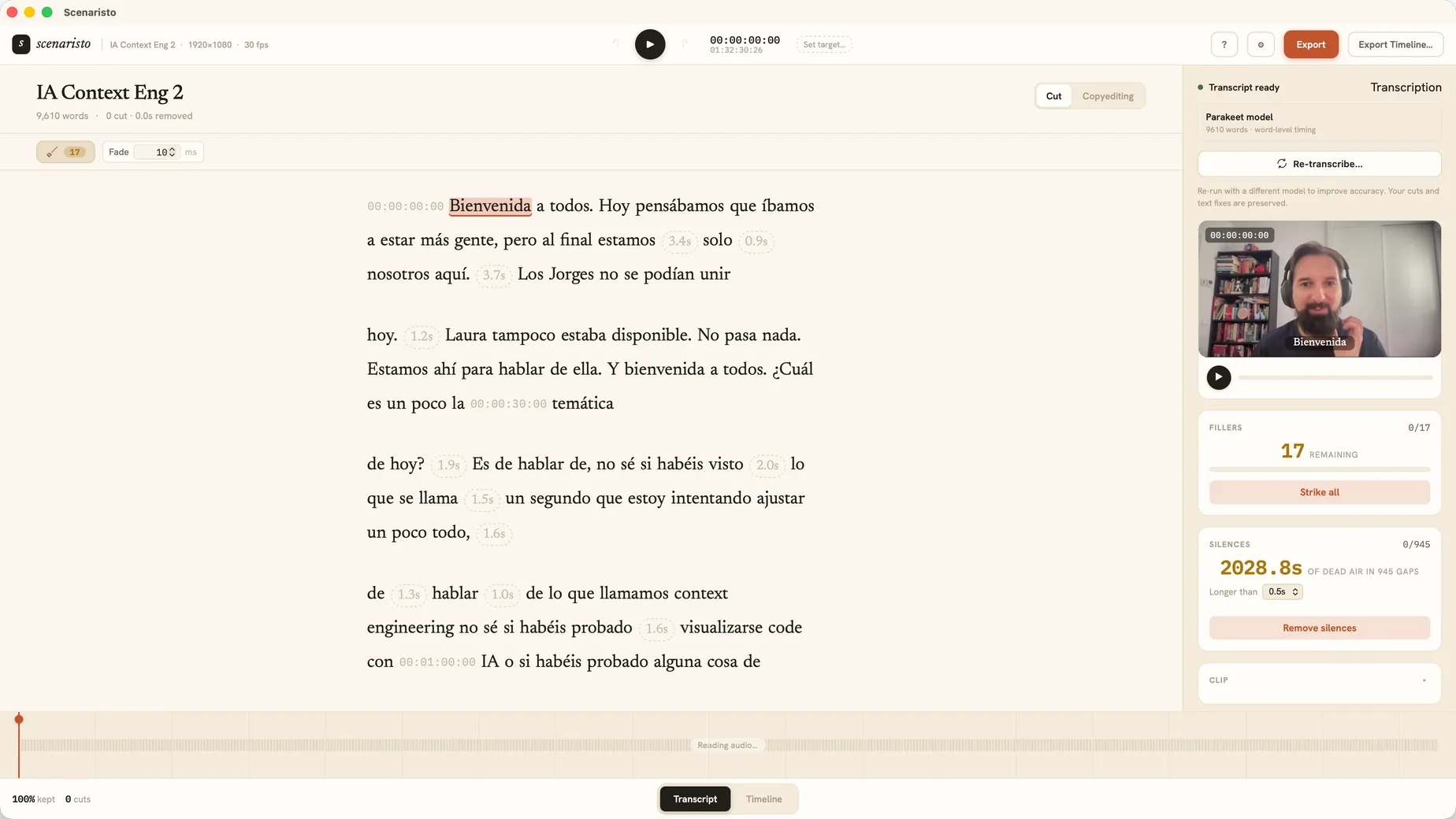 Transcript view · 1:32:30 episode · 9,610 words
Everything a host and YouTube ask for.
Three deliverables that normally mean three more tools, generated from the edit you already made, at export time.
Loudness to spec
Pick a target (Podcast −16 LUFS, YouTube −14, or a custom value) and export lands within ±0.5 LU with a −1 dBTP true-peak ceiling. It reports the measured in and out loudness, so you can trust the number before you upload.
EBU R128 · LUFS presetsChapters, entered once
Mark a chapter on a word in the transcript and name it. On export you get a YouTube 00:00 Intro list to paste, and ID3 CHAP frames baked into the MP3 so Apple Podcasts, Overcast, and Pocket Casts show them natively.
Captions that match the cut
Your corrected, post-cut transcript exports to SRT and VTT, re-timed to the final edit, struck words gone, nothing drifting. Bake them into the MP4 or keep them as sidecar files for the platform.
SRT · VTT · burn-inKnow who's talking, automatically.
Turn on Identify speakers and Scenaristo separates the voices into labeled turns (not just two people, but a whole panel) that actually tell the speakers apart, and keeps each identity consistent across the entire recording. Rename "Speaker 2" to your guest right in the transcript and it sticks everywhere.
- Words first. The transcript appears the moment transcription finishes, fully editable, and the speaker labels land behind it.
- Say how many voices there are, and trying another count re-runs only the speaker pass, keeping the names you typed.
- On-device, like everything else. The speaker model runs on your machine.
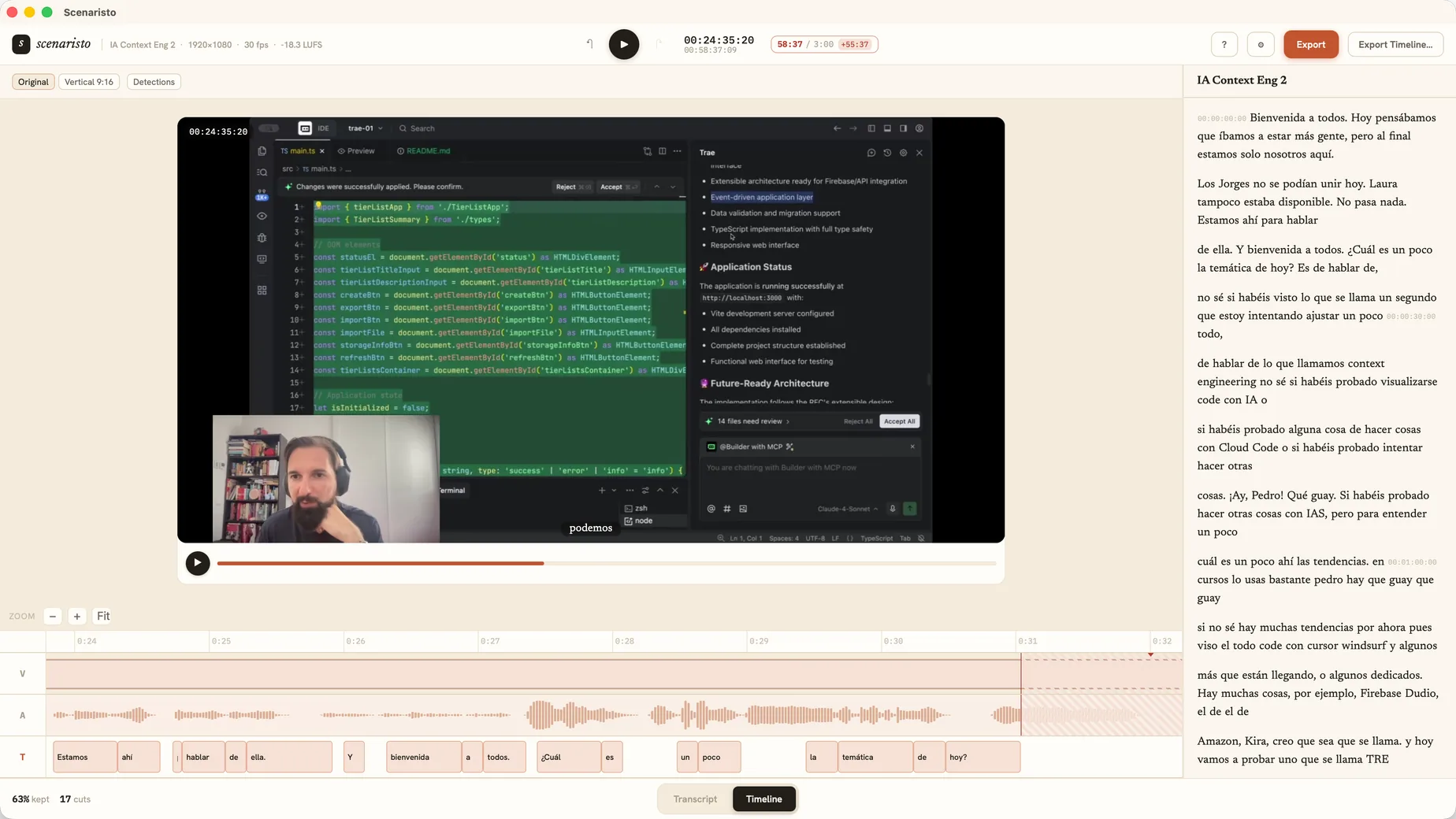 Timeline view · every word on the track
Export All ships the whole episode.
Pick one location and a name, and Scenaristo writes the video, the captions, and the chapters together with a shared basename: Show.mp4, Show.srt, Show.chapters.txt. The audio-only podcaster gets the same, mastered to loudness and stamped with chapters. Choose Podcast on import and the −16 LUFS preset and chapter-first layout are set from the start.
Clipping the episode for Reels or Shorts? The same project exports vertical clips too. See the Shorts workflow.
Video + audio
MP4 at source resolution, or mastered MP3/WAV for audio-only. Output length equals your edit, no drift.
Hand off to your NLE
Export an FCPXML timeline, cuts, crossfades, and chapter markers intact, to finish in Final Cut, Premiere, or DaVinci Resolve.
Never leaves your desk
Transcription, mastering, and rendering all run locally. Unreleased episodes and private interviews stay on disk.
From raw recording to published episode.
Drop in the recording
Drag the MP4, MOV, WebM, or WAV in. It transcribes on-device with speakers labeled. Pick Podcast when it asks what you're making.
Cut by reading
Strike tangents and fillers, remove silences in one click, and pin chapters as you go.
Master the loudness
Choose −16 or −14 LUFS and let the export hit spec with a safe true-peak ceiling.
Export All & publish
One dialog writes video, audio, captions, and chapters. Upload and you're done.
Publish your next episode
from one window.
macOS · Windows · on-device · no account, no upload