
Mark the moment. Ship the Short.
Your best 60 seconds is buried in a 10-minute master. Select it in the transcript, press ⌘⇧K, and export an upload-ready vertical clip: 9:16, captions burned in, loudness to spec, without opening CapCut, a captions app, or a reframe tool.
One good moment. Three more apps.
Today you scrub for the moment, export it, reframe to 9:16 in another tool, and run captions in a third, for every single clip. Scenaristo folds all of it into the edit you already made: the transcript is where you pick the clip, the preview is where you frame it, and export writes a file the platform accepts as-is.
It's the same project either way. The podcast episode and the clip pulled from it live in one file, cut with the same transcript.
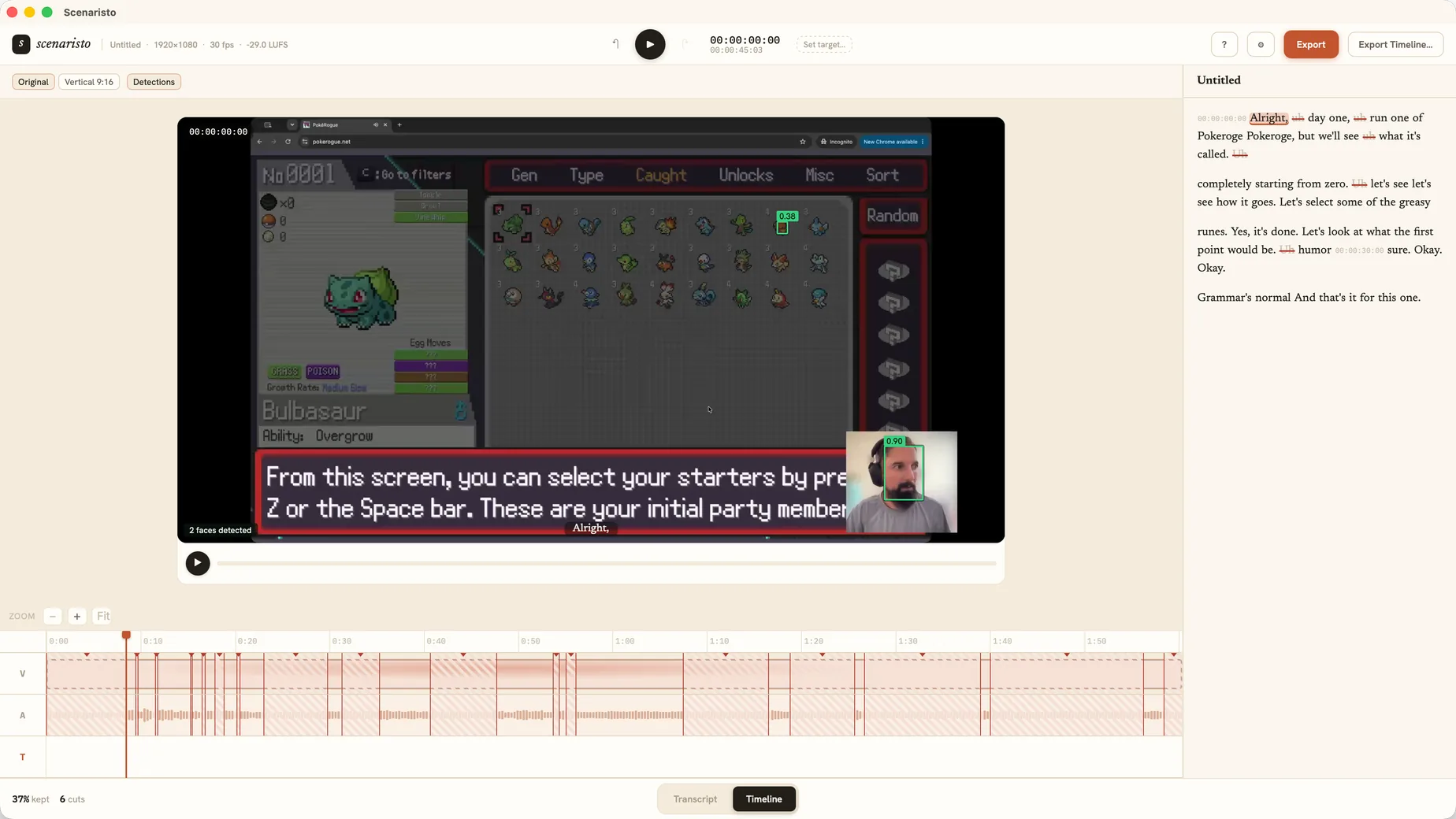 Detections · 2 faces found · on-device
Everything between "good take" and "posted."
Four steps that normally mean four more tools, generated from the edit you already made, at export time.
Highlights live in the transcript
Select a range and press ⌘⇧K to mark it as a highlight: the Highlight card, with click-to-jump, rename, and a per-platform duration badge (green under 60 s, amber under 3 min). One highlight per pass: mark, export, then re-mark the next.
⌘⇧K · duration badgeVertical, framed on purpose
Pick 9:16 (1080×1920) or 1:1, drag the crop window on the preview with the TikTok/Reels/Shorts safe-area guides on, or let on-device face detection propose the framing for you. Clamped at the edges, never letterboxed.
9:16 · 1:1 · auto-framingCaptions burned into the picture
Muted autoplay is the default on TikTok and Reels, so captions composite directly into the frames, in a fixed high-legibility style inside the safe area, matching your corrected transcript word for word. The preview shows exactly what ships.
Burned-in · WYSIWYG previewEncoded to the platform spec
H.264 the way the platforms ask for it: High Profile, BT.709, faststart MP4, AAC 48 kHz, with frame rate conformed into the 23 to 60 fps band and audio mastered to the −14 LUFS social target with true-peak headroom for their re-encode.
−14 LUFS · platform H.264It finds the face. You approve the frame.
Arm a vertical preset and a face detector running on your machine samples the clip and centers the subject in the platform safe box: one static, deliberate crop, not a jittery auto-track.
- On-device detection. A compact face-detection model runs locally; footage never leaves your machine.
- A suggestion, not a takeover. It pre-fills the crop; drag it and your choice sticks.
- Falls back gracefully. No face or low confidence just means a centered crop, silently.
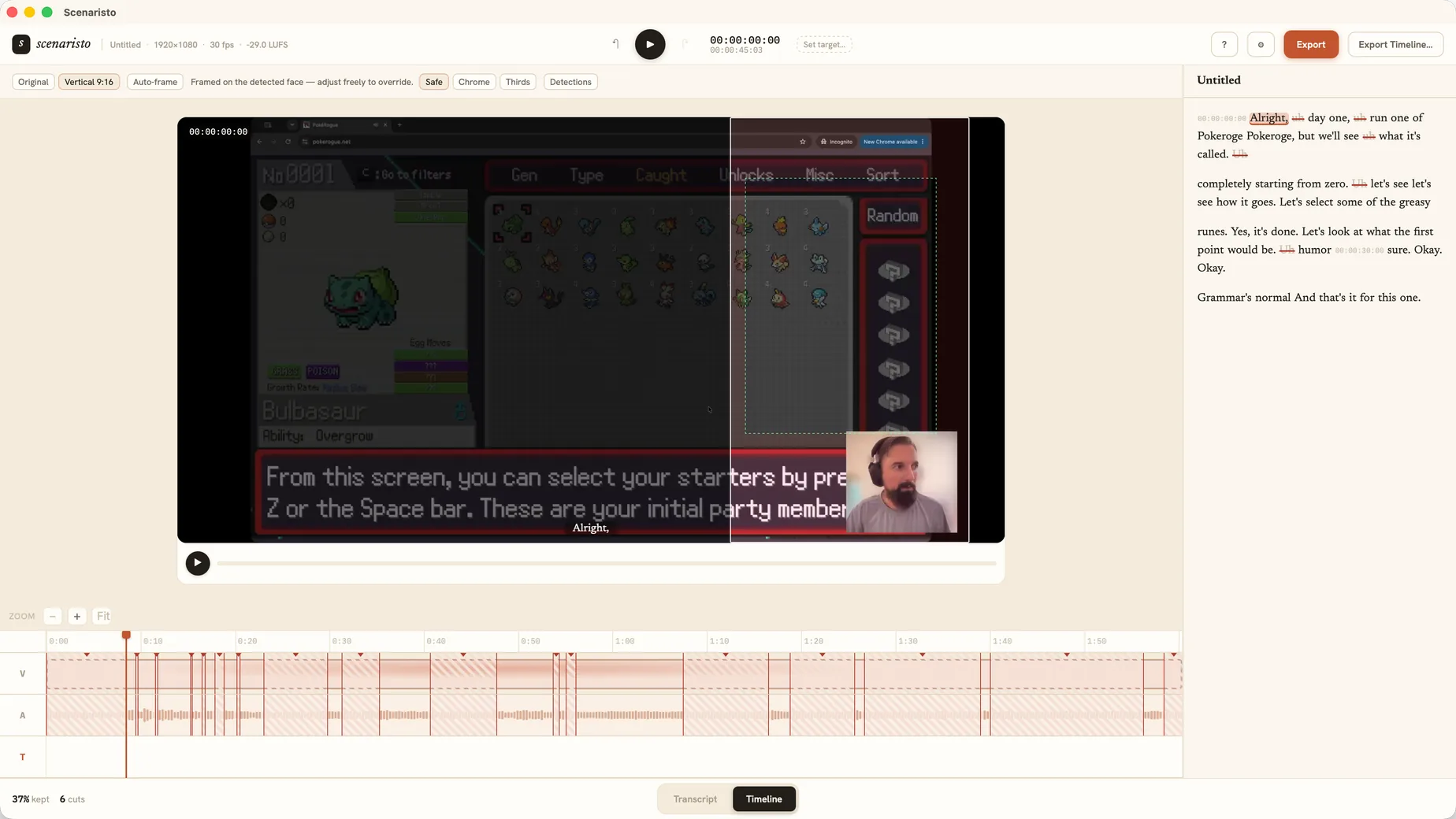 Vertical 9:16 · framed on the detected face
Cut a 10-minute take down to 3:00 flat.
Not every short is an excerpt. Sometimes the whole recording is the deliverable, it's just too long. Set a target runtime and a live budget chip counts down as you strike fillers, tangents, and silences.
- Remove silences in one click. Dead air is detected and struck in bulk, like filler words.
- A live budget, not a hard cap. The chip reads under/over; nothing auto-cuts, and export is never blocked.
- A ruler in the gutter. Timecode ticks run beside the text every thirty seconds of the edited timeline, reshuffling as you strike and restore, so you always know where the runtime stands.
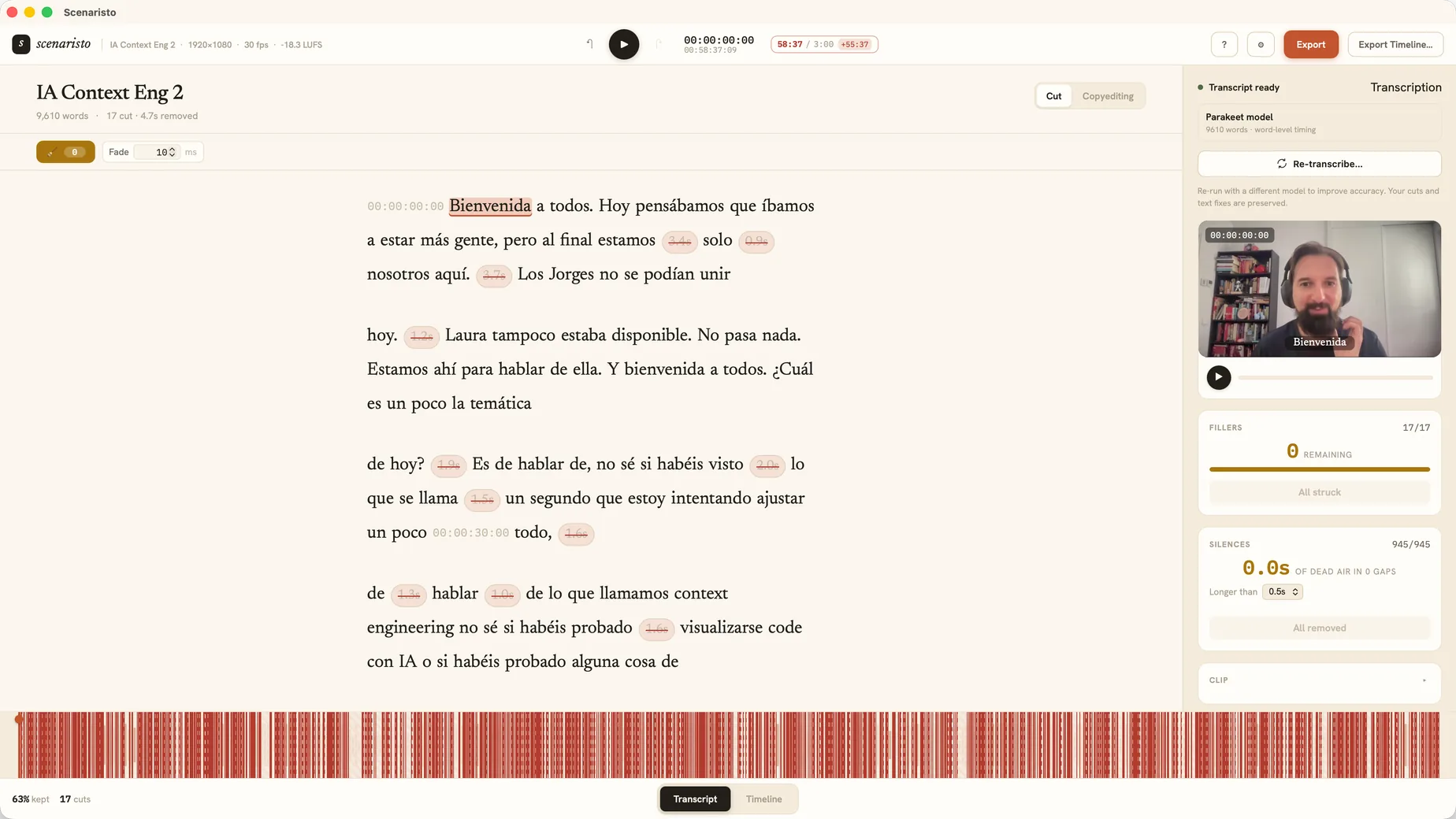 945 silences struck · live 3:00 budget
Export Highlights writes the file you actually upload.
Master, Hook.mp4 at 1080×1920 with captions burned in, plus a sidecar SRT re-timed from 00:00, mastered, conformed, and named after your clip.
Tell it what you're making
On first import, Scenaristo proposes Podcast, Long-form, or Short-form. Confirm Short-form and the 9:16 preset, burned-in captions, and a 3:00 target are set in one step.
No platform rejects
Correct dimensions, no letterboxing, conformant frame rate and color. The export is built so the platform takes it the first time.
Never leaves your desk
Transcription, face detection, caption rendering, and encoding all run locally. No account, no upload.
From master to posted, four moves.
Drop in the master
MP4, MOV, MKV, or WebM. It transcribes on-device. Pick Short-form when it asks what you're making.
Tighten the take
Bulk-strike fillers and silences, then select the moment and press ⌘⇧K to mark it as a highlight.
Frame it
Arm 9:16, let auto-framing center the face, check the burned captions right in the preview.
Export Highlights
One save dialog writes the vertical MP4 and matching SRT. Re-mark and go again for the next one.
Stop rebuilding every clip
in three other apps.
macOS · Windows · on-device · no account, no upload